
Turn Efficiency Into Economic Benefit
Put the efficiencies gained using ReportGen to work through stronger margins, more competitive pricing, greater capacity for new business, or fewer hours demanded from your team.
 Word what you've already built in
  Excel
ExcelProfessionals spend hours doing sophisticated work in Microsoft Excel, then spend hours more translating that work into Word reports.ReportGen handles the work in between
Reportgen Software
Automate what happens around the work without changing the work itself
Use your existing Word templates. Preserve your branding, report aesthetic, formatting & spacing, standards, styles, pagination, etc.
Upload your completed Excel analysis. ReportGen doesn't perform or replace the underlying analysis, it helps carry that work through to the finished report.
Review how your Excel analysis maps into the report and adjust where needed before generation.
ReportGen populates your template using the mappings and standards you've established.
Open the completed Word document, make any final professional edits, and deliver it as you normally would.
Business Impact
Hours saved and errors avoided on one report add up. Across professionals, engagements, and an entire firm, they become greater capacity, stronger quality control, and better margins.

Put the efficiencies gained using ReportGen to work through stronger margins, more competitive pricing, greater capacity for new business, or fewer hours demanded from your team.
Put professional expertise where it creates the most value: analysis, client-specific considerations, judgment, decision-making, new business, etc.
Turn hours spent populating, updating, and formatting reports into minutes.
Carry established formatting, styles, branding, and reporting standards forward through every revision.
Take on more client work without requiring proportional growth in headcount, staffing, and associated costs.
Move through drafts and changing analysis faster, compressing the reporting cycle from initial analysis to final delivery.
Respond faster to client requests and changing inputs without turning every revision into another production cycle.
Revisions shouldn't introduce new errors. Reduce the manual touchpoints where stale figures, outdated tables, and inconsistent narrative can slip into the next draft.
Reportgen Workflow
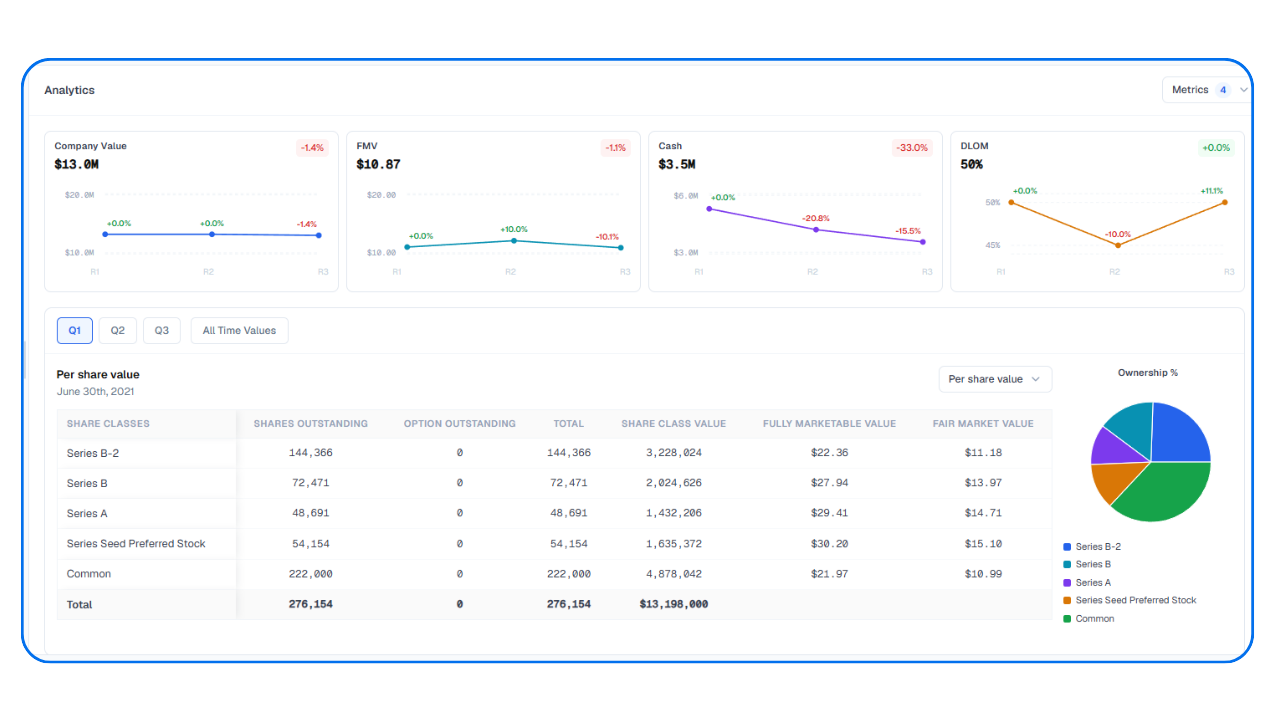
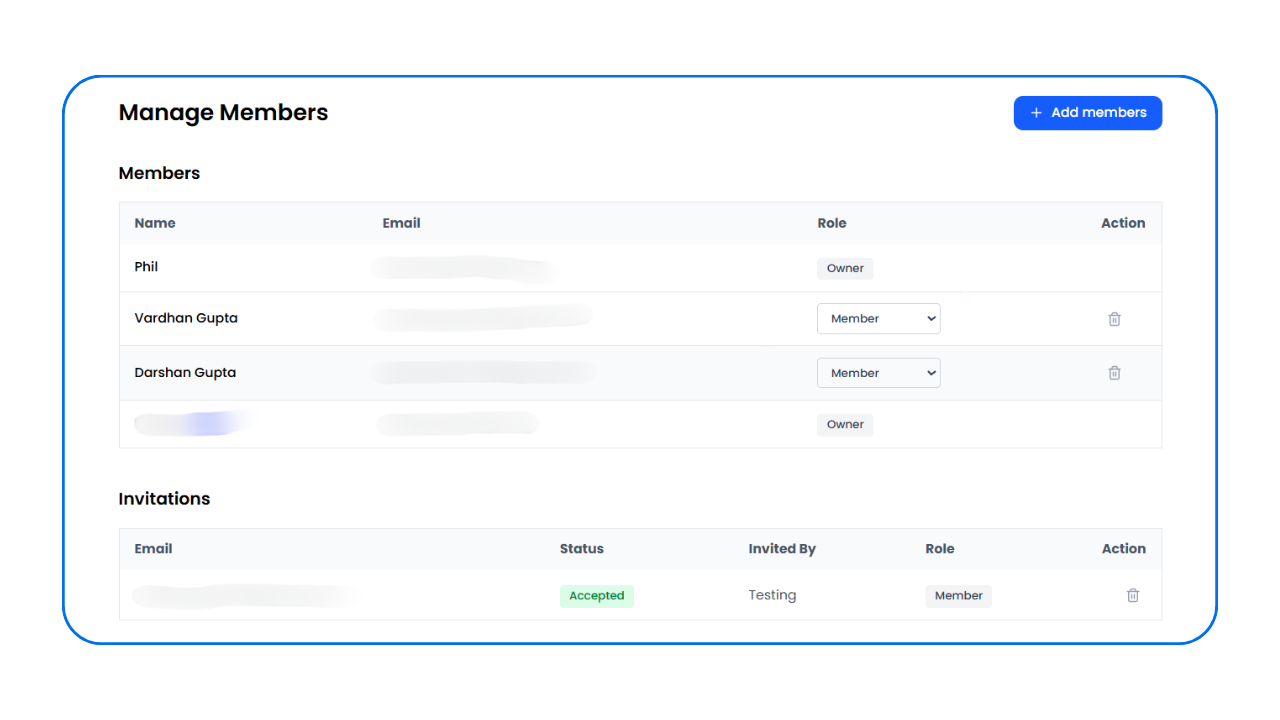
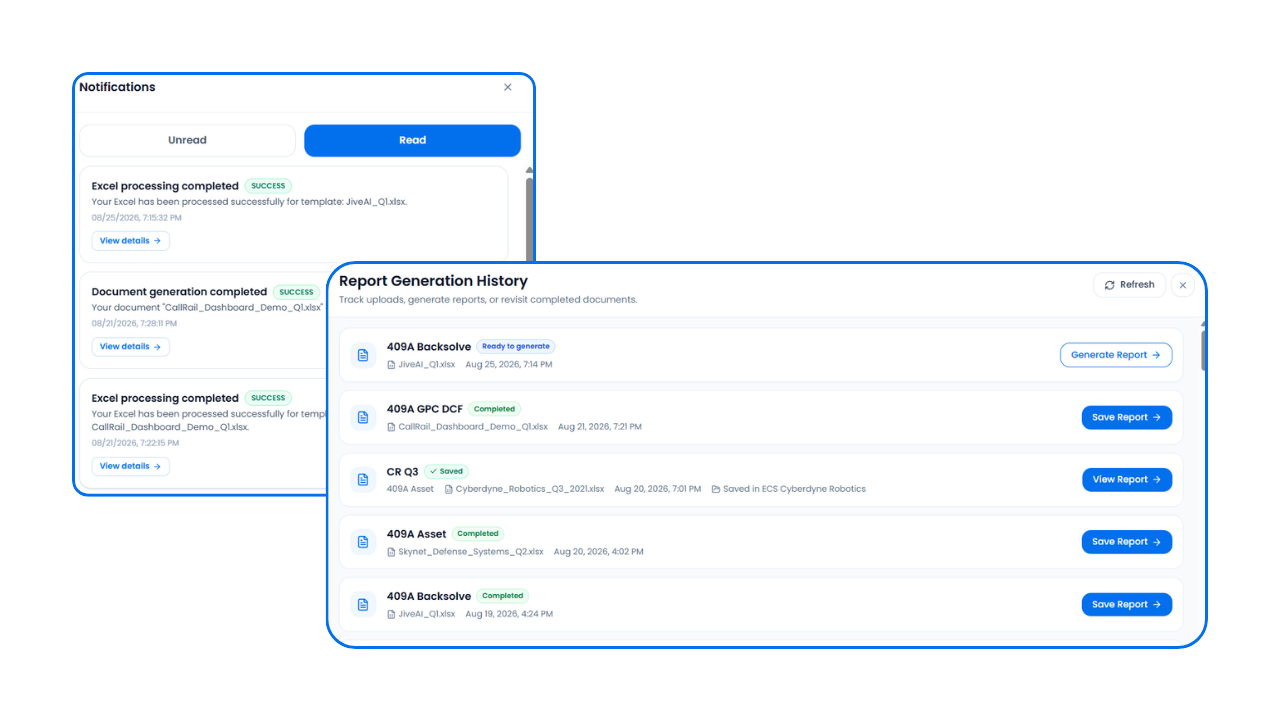
Use ReportGen for report generation alone or connect more of your process in one place with engagement letters, reporting, shared workspaces, key data, and the visibility to keep everyone informed.
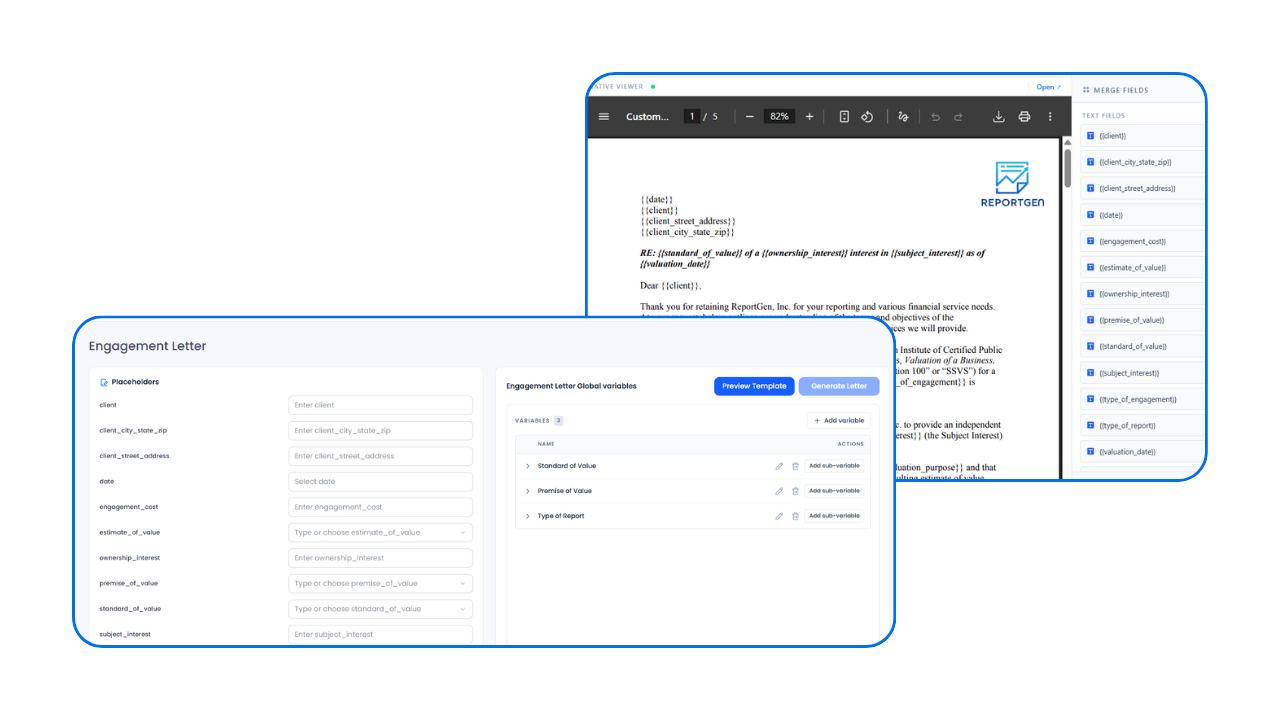
Before the work begins, the scope, terms, and responsibilities of an engagement need to be established and documented. ReportGen lets you start there, using your existing templates to populate client and engagement information, review the completed letter, and generate the final Word document.
FAQ
Common questions about ReportGen, how it works, and how it fits into your existing process.
ReportGen analyzes your completed Excel work to identify the information needed based on the structure and context of your template. It then maps that information into your report, eliminating the need to rebuild tables, figures, and formatting by hand.
No. ReportGen uses your completed Excel work to compile and populate your report. It does not determine figures, perform calculations, make assumptions, reach conclusions, or generate report narratives. The numbers and conclusions come from your analysis, the wording comes from your existing report templates, and any narrative requiring your expertise or judgment remains yours to provide and control.
Yes. ReportGen is built around your existing Word templates, not simplified versions of them. Reports are generated in a native Microsoft Word environment, preserving the document exactly as designed including pagination, section breaks, portrait and landscape layouts, headers and footers, footnotes, numbering, styles, spacing, tables, charts, branding, and other document-specific formatting. You keep the template and presentation your firm already uses; ReportGen populates the report without requiring you to rebuild or compromise it.
No. ReportGen is designed to work with the Excel files and models your team already uses, without requiring you to rebuild them in a proprietary format or move your analysis into a new modeling environment. Complex, multi-sheet, formula-driven, and macro-enabled workbooks can remain part of your existing process; ReportGen works from the completed analysis to identify and map the information needed for your report.
General-purpose AI can be useful but can quickly become a black-box, prompt-and-correct process: describe what you want, generate an output, review what it got right or wrong, revise the prompt, and repeat. What appears to eliminate a workflow can instead replace it with a new one, while introducing less visibility and control over the result. ReportGen is built around your existing templates and completed analysis, creating a more controlled and repeatable process designed to produce consistent, predictable reports from one run to the next.
ReportGen can be used for any structured reporting process where completed Excel work needs to be carried into a Word deliverable. While it was built around the demanding reporting needs of finance, valuation, and accounting professionals, the underlying workflow is not specific to any one industry or report type.
For example, a 60-page report with tables, charts, figures, high-quality images, detailed formatting and spacing, appendices, and industry and market data can be generated in approximately 5–10 minutes. Manually producing the same report can require hours of line-by-line population, formatting, sourcing, and adjustment in Word.
New information? No problem. ReportGen's generation process takes only minutes, so when your analysis changes, simply update and re-upload your Excel file and generate a new report rather than amending the previous draft line by line.
No. ReportGen can be used for report generation on its own, or as part of a broader workflow. Teams can also bring engagement letters, key engagement data and dashboards, shared workspaces, collaboration, notifications, and reporting history into one place, depending on how much of the process they want to manage through ReportGen.
Your files and data remain private and are used only to provide the ReportGen service. Data is encrypted in transit and at rest, access is restricted, and customer information is never repurposed for unrelated uses. ReportGen maintains defined data retention and deletion practices and is built with the security and confidentiality of professional work in mind.